







For shift-based teams in Denmark

Employee scheduling. Everything in sync.

Plan shifts, keep your team informed and get hours ready for payroll. One place, from the first shift to the last clock-out.

30 days of Pro free · Choose your plan later

Week 28
6 Jul - 12 Jul · Brasserie Nord
Step 1 of 2The demo is ready. Apply the template to begin.
Brasserie Nord
Mon06.07.2026
Tue07.07.2026
Wed08.07.2026
Thu09.07.2026
Fri10.07.2026
Sat11.07.2026
Sun12.07.2026
Kitchen14 shifts103h
07.00-15.00Mikkel Sørensen
12.00-19.00Anders Berg
07.00-15.00Anders Berg
12.00-19.00Emil Jensen
07.00-15.00Emil Jensen
12.00-19.00Mikkel Sørensen
07.00-15.00Mikkel Sørensen
16.00-22.00Anders Berg
07.00-15.00Anders Berg
12.00-19.00Emil Jensen
07.00-15.00Mikkel Sørensen
12.00-19.00Anders Berg
07.00-15.00Emil Jensen
16.00-22.00Mikkel Sørensen
Bar10 shifts77h
07.00-15.00Maria Lund
07.00-15.00Alma Madsen
07.00-15.00Maria Lund
07.00-15.00Sofie Nielsen
15.00-22.00Alma Madsen
07.00-15.00Maria Lund
15.00-22.00Alma Madsen
07.00-15.00Alma Madsen
15.00-22.00Maria Lund
07.00-15.00Alma Madsen
Front of house18 shifts114h
10.00-16.00Sofie Nielsen
16.00-22.00Ida Nørgaard
10.00-16.00Ida Nørgaard
16.00-22.00Jonas Holm
10.00-16.00Jonas Holm
16.00-22.00Maja Larsen
10.00-16.00Jonas Holm
12.00-19.00Ida Nørgaard
16.00-22.00Maja Larsen
10.00-16.00Sofie Nielsen
12.00-19.00Jonas Holm
16.00-22.00Ida Nørgaard
10.00-16.00Ida Nørgaard
12.00-19.00Jonas Holm
14.00-22.00Sofie Nielsen
10.00-16.00Maja Larsen
12.00-19.00Sofie Nielsen
16.00-22.00Jonas Holm

Monoplan isn't built on assumptions. We've worked with staff scheduling ourselves, and we develop the product closely with customers who run day-to-day operations.

Tobias Dosdal-Feddersen

Co-founder & CTO

Built for everyday operations

Less time on the schedule. More time with the team.

Monoplan brings the essentials of shift-based work together, giving managers and employees a simpler working day.

View shifts, track working time, handle changes and stay in touch with the team from one place.

See staffing, hours, absence and payroll data without piecing information together across systems.

Fewer manual processes, clearer oversight and a more connected flow from schedule to payroll.

Team chat

Bring your team together where shifts are planned

Send direct messages, create your own groups, and let Monoplan automatically connect employees in channels based on their department and role.

Explore team chat
  • Automatic channels
  • Direct messages
  • Shift actions in chat
Team chat for employees in the Service role at Café Nord. Sofie shares a shift with the team, and Katrine offers to take it.

Service

Café Nord · Role channel

Can anyone take my Friday shift? I have an exam on Monday.

I can! Share the shift here and I’ll take it.

Shift handover

Friday

16.00–22.00

Sofie Nielsen

Service · Café Nord

Take shift

Thank you! Now I can focus on studying. Have a great shift!

Everything together. Made simple.

Every employee detail

Keep contact details, role, department, pay, contracts, and time off in one profile.

Approve only exceptions

Monoplan compares scheduled and clocked hours and prepares the rest for approval.

Payroll is ready

Hours, absence, and allowances flow into a payroll report that is ready to export.

Monoplan works with the systems you already use

Connect your POS, payroll and reservation systems so revenue, guest and payroll data flow automatically between them.

Features that keep daily operations connected

From daily scheduling to employee management, communication, documents and payroll.

  • Plan with time off in view

    Approve holiday and absence before assigning shifts.

  • Start your shift here

    See your next shift and clock in from your phone.

  • Compare labour costs and revenue

    Track labour costs against revenue over time.

    • Meet Viggo

      Beta

      Your right hand in daily operations.

      Ask Viggo about your data, get the overview and keep moving.

    • Posts & events

      Keep the whole team up to date.

      • New closing-shift routine

        Post · Maria · Today

        Views: 34

      • 12

        SEP

        Summer party by the harbour

        18:00–23:00

        Attending: 42

      • 19

        SEP

        Staff meeting

        09:00–10:00

        Attending: 18

    • Documents & contracts

      Send, read and sign in one place.

      • Employee handbook.pdf

        Document

        34/38 read

      • Employment contract · Sofie

        Contract

        Signed

      • Closing routine.pdf

        Document

        4 pending

  • Secure access

    Sign in with 2FA or biometrics.

  • Plan shifts with keyboard shortcuts

    Copy, select and undo directly from the keyboard.

  • Work faster in the schedule

    A fast schedule that responds instantly.

A schedule that fits your business

See how Monoplan works for the staffing needs in your industry.

Restaurants and cafés

Bring kitchen, bar and front of house into one schedule. Adjust staffing as bookings change.

Chef and waiter prepare a restaurant before service

Shops and retail

Plan around opening hours and busy periods. Keep track of hours and absence across your stores.

Two shop assistants prepare a clothing store

Explore all industries

Pricing

From 10 DKK per active employee/month

Start with scheduling, the employee app and time clock. Upgrade when you need more.

Save DKK 5 with a 12-month commitment.

Starter includes

  • Employee scheduling and reusable templates
  • Mobile employee app and notifications
  • GPS/Wi-Fi time clock

12-month commitment · billed monthly

Minimum charge equals the price of 10 active employees. Prices exclude VAT.
From schedule to payroll

Everything comes together for payroll

Hours, supplements and absence are collected continuously in Monoplan, so the payroll report is ready when the month ends.

Time tracking & clock-in times
Scheduled and recorded hours
Pay & allowances
Pay and supplements
Absence & time off
Holiday and other absence

Switch to monoplan

Switch without starting over

Import the whole team at once. Monoplan automatically matches names, emails and positions, so you can quickly move forward.

  1. 1

    Upload

  2. 2

    Match fields

  3. 3

    Import

Import employees

employees.csv

37 employees

37 employees found

Automatic mapping

3 of 3 fields matched

Name

Name

Email

Email

position

Position

Ready to import

No double payment

Locked into another solution? Apply for up to 12 months without double payment. Documentation and approval required.

Ask about switching

Ready to bring your schedule into one system?

Start your free 30-day Pro trial with your own employees and shifts.

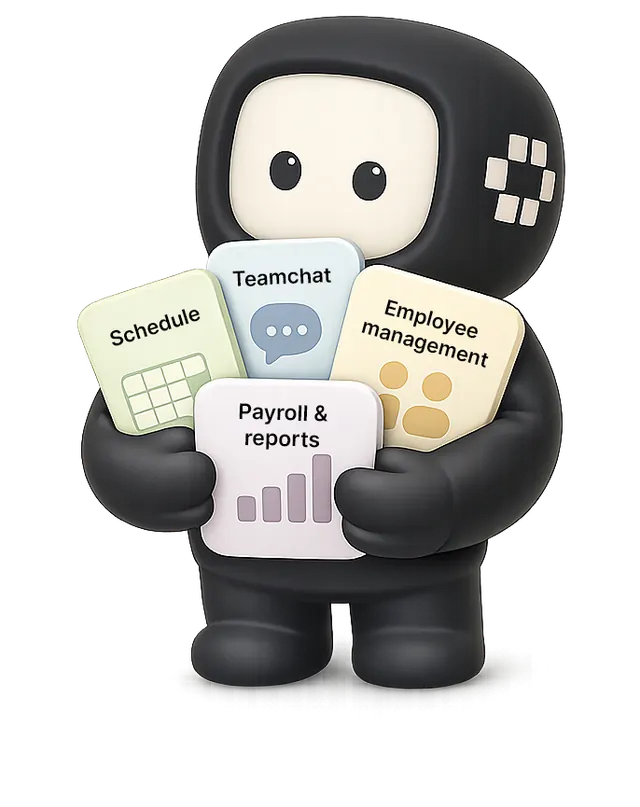
Viggo holding cards for schedules, team chat, employee management, payroll and reports

Frequently asked questions